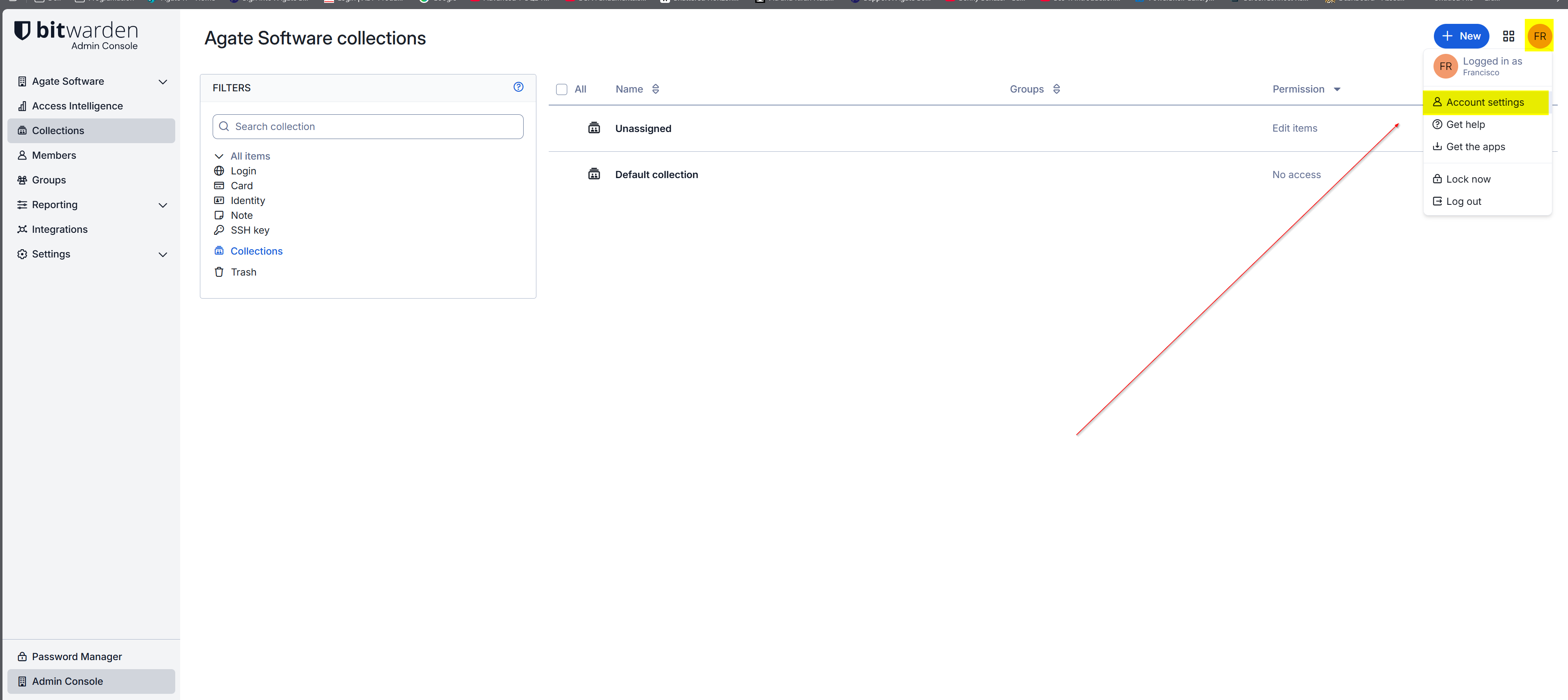
From the Bitwarden Admin Console head over to the upper right corner and click on the account circle. and click on 'Account settings'
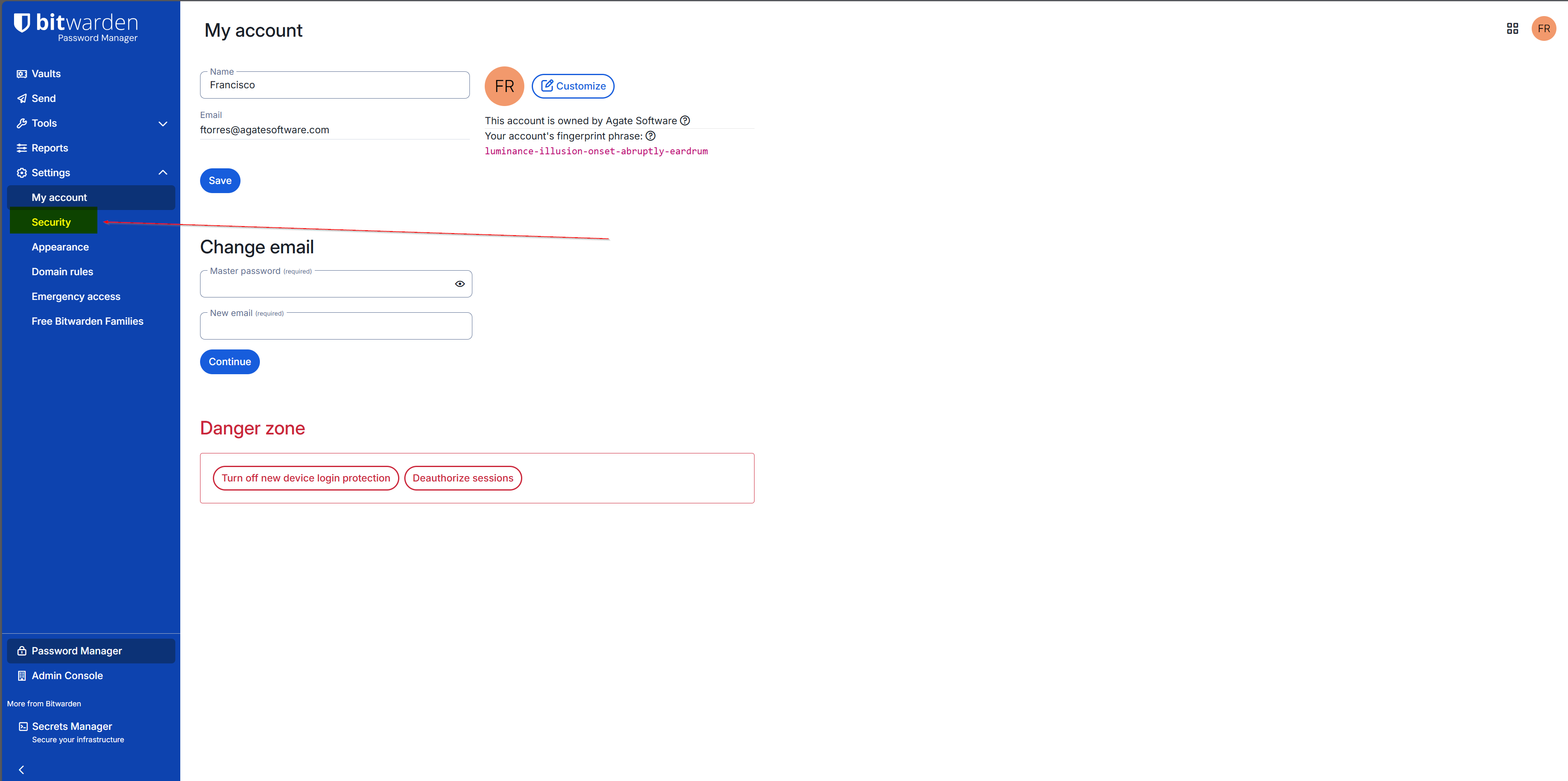
From your account settings, click on 'Security' located under 'Settings' in the left menu bar.
From there click on 'Two-step login'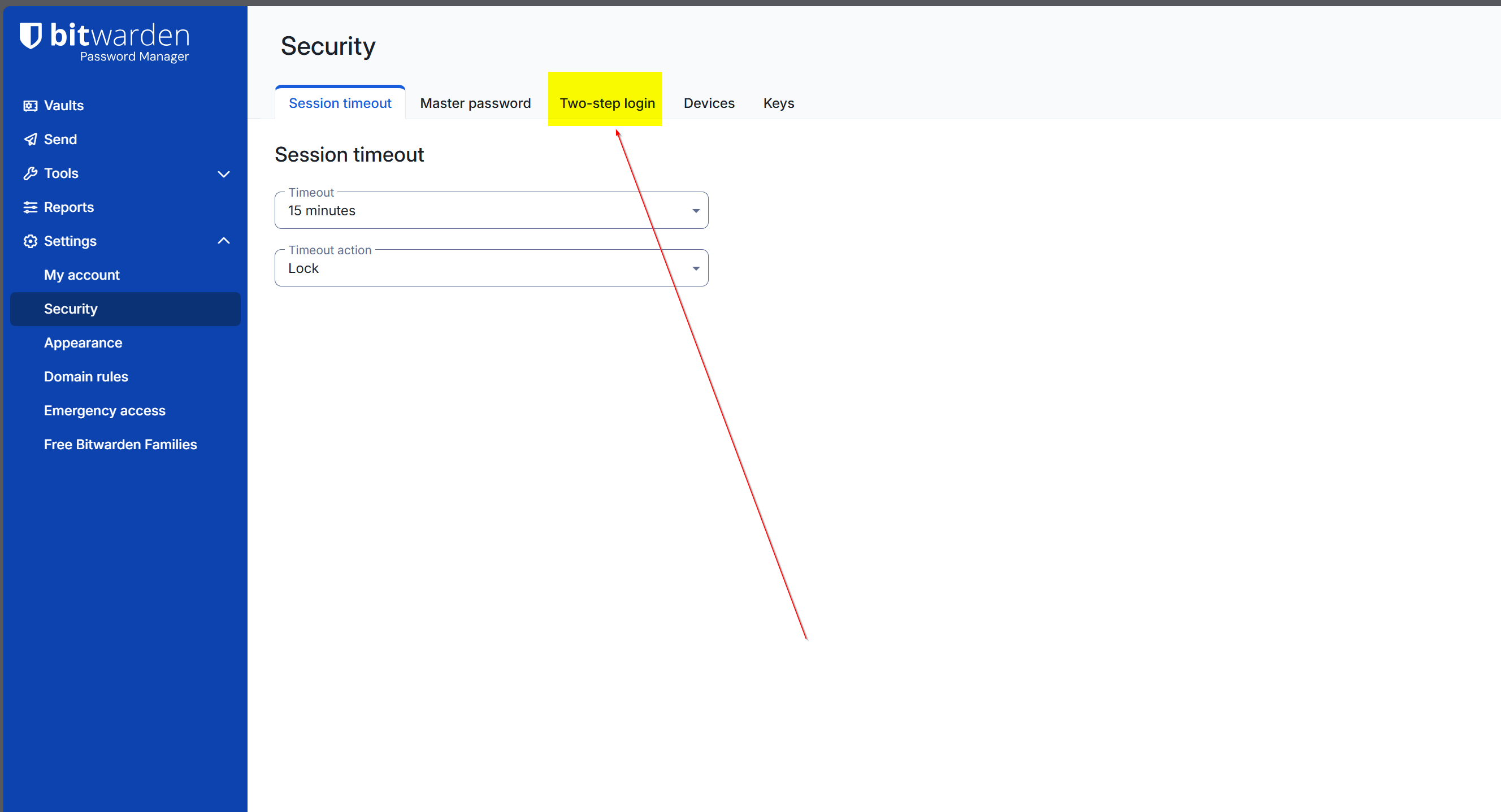
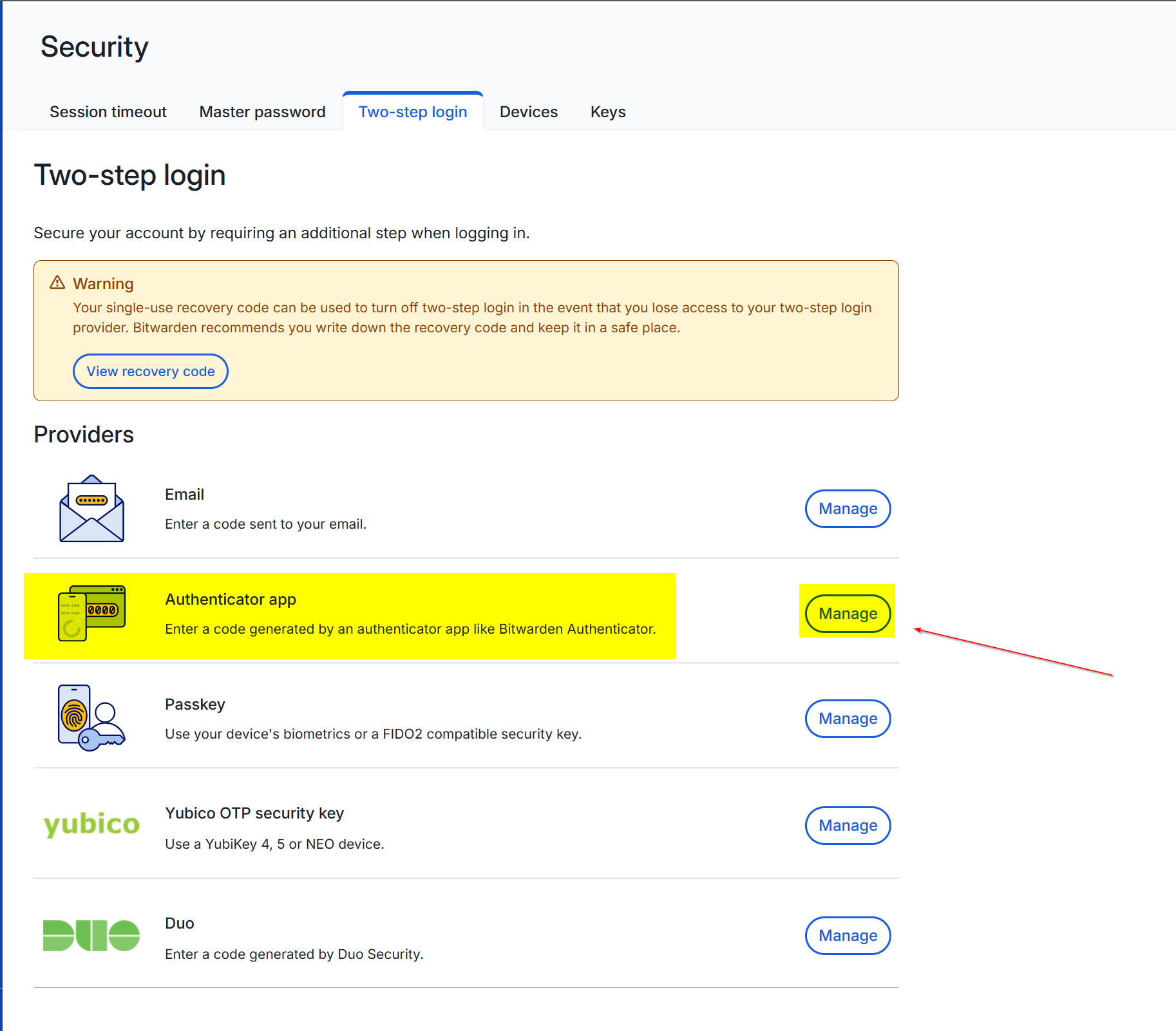
Click on 'Manage' in 'Authenticator app'
It will prompt you for the Master password: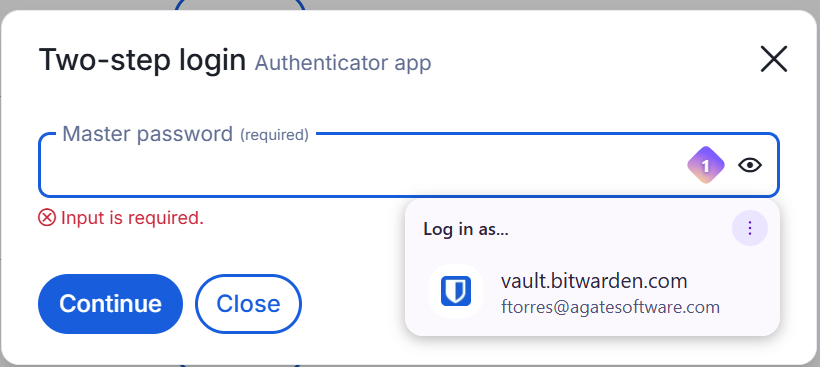
Use your preferred authenticator app: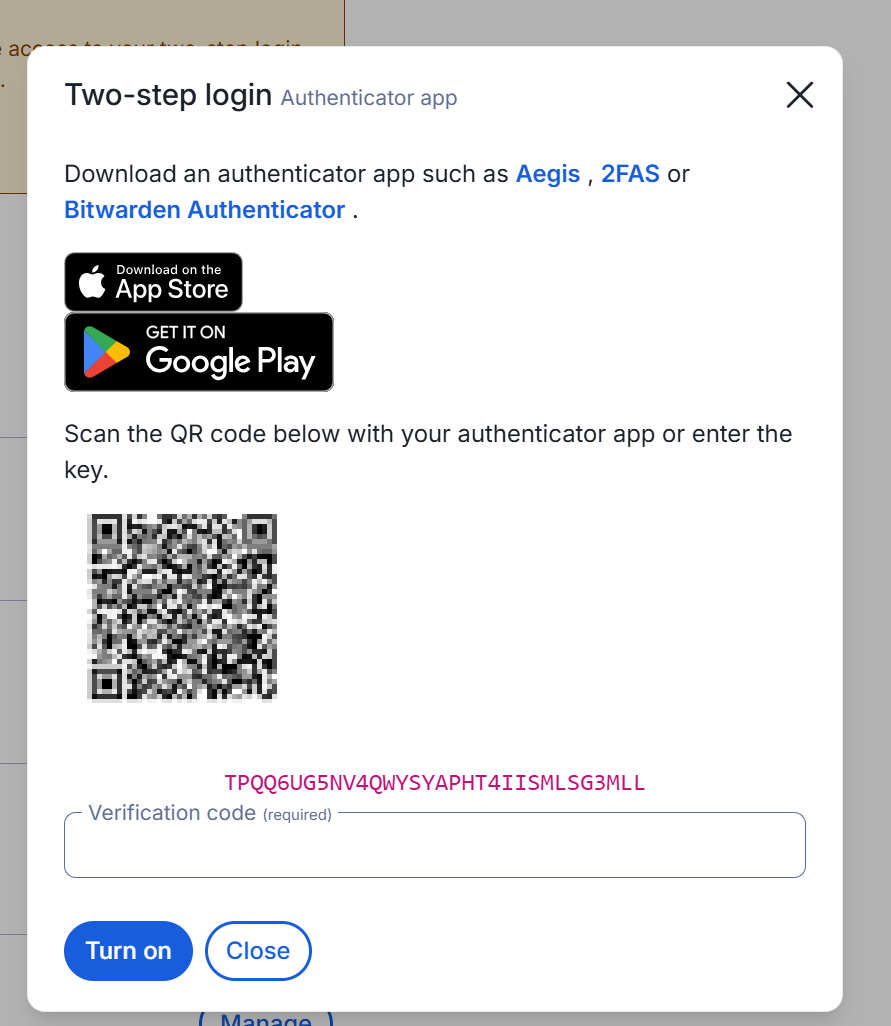
Enter the verification code generated on the Authenticator App, then click on 'Turn on'
If successful you should see a checkmark: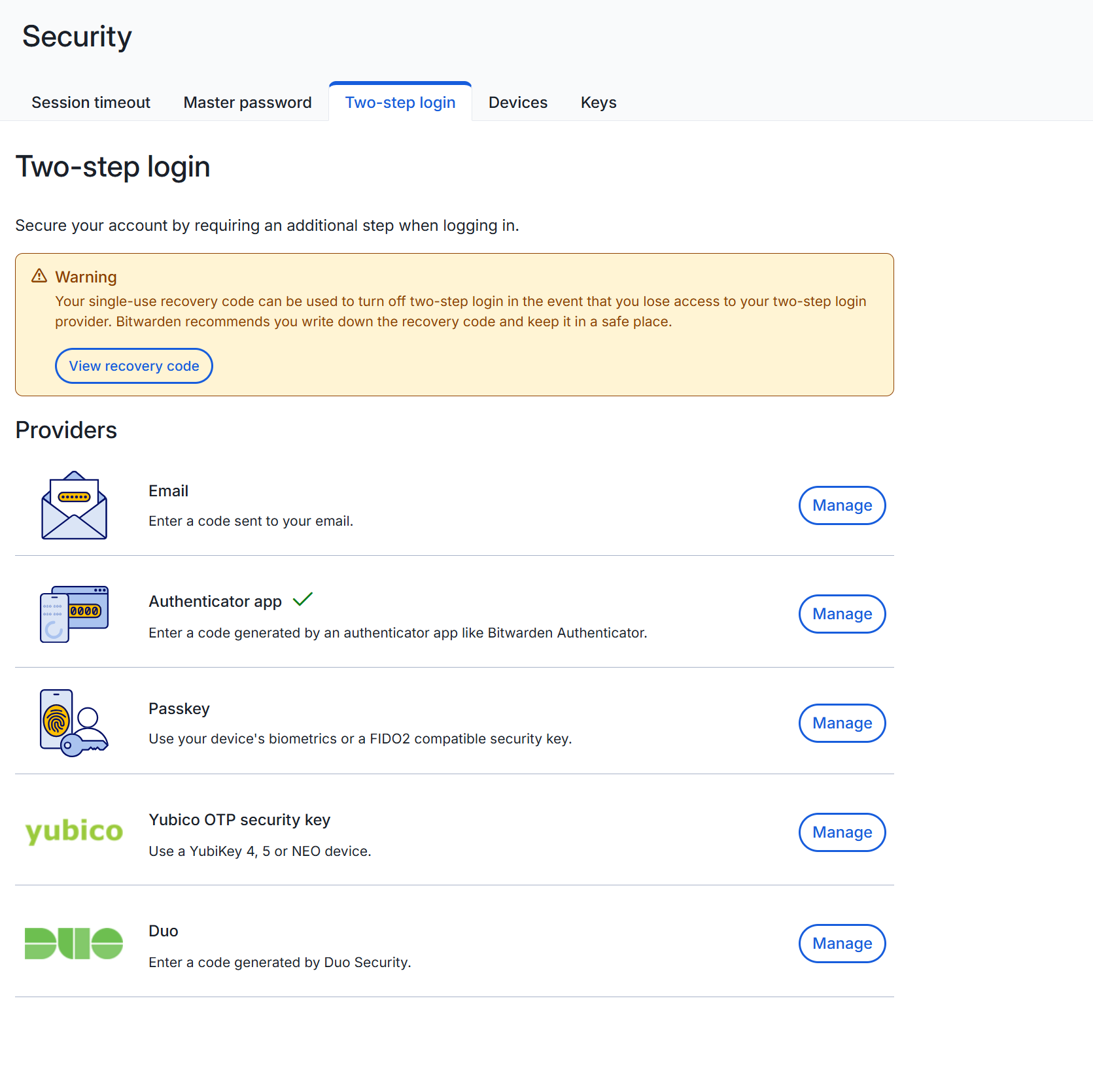
Was this article helpful?
That’s Great!
Thank you for your feedback
Sorry! We couldn't be helpful
Thank you for your feedback
Feedback sent
We appreciate your effort and will try to fix the article